
Copying a TikTok Video Link: App, Mobile Web & Desktop
Here's how to copy TikTok video link on any device: open the video, tap the Share arrow, then tap Copy link. On desktop, you can also copy the URL from your browser's address bar. Either way, you get a link you can paste into GoTikSave to download the video without watermark.
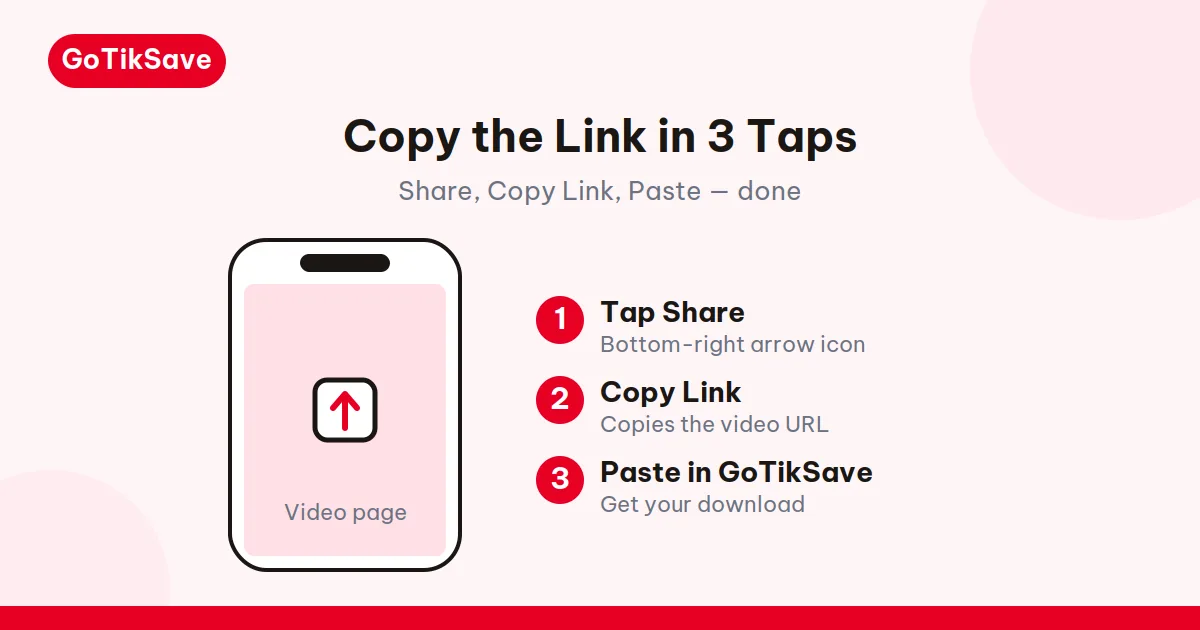
This guide goes deeper than the two-tap version: every link format TikTok generates, where each one shows up, how to read a link to spot a bad one before you paste it, and the clipboard quirks that make "Copy link" silently fail on some phones.
Copy a link in the TikTok app (iPhone & Android)
- Open the TikTok app and find the video you want.
- Tap the Share button, the curved arrow on the right side of the video.
- In the share panel, tap Copy link. TikTok shows a small "Link copied" confirmation.
- The link is now on your clipboard. Paste it wherever you need it.
The copied link usually looks like https://vt.tiktok.com/AbC123/ or https://vm.tiktok.com/AbC123/. That's a short link, and it's normal. Short links and full links work exactly the same in our TikTok downloader because the short URL is resolved on TikTok's side before the video is fetched. You don't need to expand it yourself.
One habit worth building: paste the link into your notes app first and glance at it. If it doesn't contain /video/ or a short domain you recognize, you probably copied from the wrong screen (more on that below).
Copy a link in a mobile browser
- Open TikTok in your phone's browser (Chrome, Safari, etc.) and open the video.
- Tap the Share icon under the video, then Copy link, same as in the app.
- Or tap the address bar, long-press the URL, and copy it directly.
One thing to know: TikTok's mobile website sometimes pushes you toward the app with a pop-up. You can dismiss it. The share button still works in the browser.
Copy a link on desktop
Desktop is the easiest of the three:
- Go to tiktok.com and open the video.
- Copy the URL straight from the address bar (
https://www.tiktok.com/@username/video/1234567890...). - Alternatively, click Share under the video and choose Copy link.
The full desktop URL and the short app link point to the same video. Our downloader accepts both, plus links copied from TikTok DMs and embeds. Tracking parameters in the URL are ignored; only the video itself matters.
Every TikTok link format, decoded
TikTok generates several URL shapes depending on where you copy from. They all resolve to the same video, but recognizing them helps you spot a bad link instantly:
| Format | Example | Where you get it |
|---|---|---|
| Full video URL | tiktok.com/@username/video/7234567890123456789 |
Desktop address bar |
| Short share link | vt.tiktok.com/AbC123/ or vm.tiktok.com/AbC123/ |
App Share → Copy link |
| Mobile short link | tiktok.com/t/ZM2AbCdEf/ |
Shared from some app versions |
| Embed URL | tiktok.com/embed/v2/7234567890123456789 |
Blog/website embeds |
The one thing every valid video link has: a numeric video ID (the long number) or a short code that resolves to one. If your copied text has neither — if it's a username-only URL, a /discover page, or a TikTok Shop product link — it's not a video link, and no downloader will accept it.
The vm.tiktok.com to vt.tiktok.com migration
If you've been copying TikTok links for years, you've noticed the short domain changed: older shares start with vm.tiktok.com, newer ones with vt.tiktok.com. TikTok gradually moved its share-link service to the vt domain, but the old vm links still resolve — TikTok kept the redirect service running. So an ancient vm.tiktok.com link from 2021 usually still works, as long as the video itself is still public. If one fails, suspect the video (deleted, privated) before suspecting the domain. The short domain is just a forwarding address; it says nothing about whether the destination still exists.
Links from DMs and notifications
Links copied from TikTok direct messages usually point at the public post, which downloads fine. Push-notification links sometimes deep-link into the app homepage instead — if the pasted link opens your For You feed rather than a video, go back and copy from the video itself.
Links from embedded players
News sites and blogs embed TikTok videos with an iframe pointing at tiktok.com/embed/.... You can't copy that URL by tapping the video. Instead, click the TikTok logo or title inside the embed — it opens the real video page, where you can copy the link normally.
Reading a link to spot a bad one
Before pasting into any downloader, a two-second glance saves a failed attempt:
- Has
/video/+ long number → valid video link. Paste away. - Ends at
/@username→ that's a profile, not a video. Open a video first. - Contains
/tag/or/discover→ hashtag/search page. Not downloadable. - Contains
/shopor product IDs → TikTok Shop item. Not a video. - Chat preview that never resolved → some messaging apps show a preview card without the real URL behind it. Long-press the original message and copy the link text itself.
This two-second check catches the usual cause of "invalid link" errors people hit in downloaders. The full diagnostic for when downloads fail anyway is in TikTok video download failed: causes and fixes.
Clipboard quirks by phone
"Copy link" sometimes fails silently, and it's always the phone's clipboard, not TikTok:
Samsung (One UI)
Samsung's clipboard manager occasionally holds the previous copy. If you paste and get yesterday's link, open Samsung Keyboard's clipboard panel and pick the newest entry — or copy twice in a row.
Xiaomi / Redmi (MIUI)
MIUI's aggressive battery optimization can kill TikTok's background clipboard write if you switch apps too fast. Copy the link, wait for the "Link copied" toast, then switch to your browser.
iPhone
iOS shows a small banner when an app reads your clipboard. That's the system telling you TikTok wrote to it — normal. If paste gives you nothing, the copy didn't register; TikTok's share panel sometimes needs a second tap on "Copy link" after a fresh app launch.
The notes-app test
Whenever copy-paste acts strange, paste into your notes app first. If the link looks right there, the clipboard is fine and the problem is downstream. If it's wrong or empty there too, re-copy from the video. This thirty-second test separates clipboard problems from downloader problems instantly.
What a TikTok link reveals (and what it doesn't)
A copied link contains the video's ID and, in the full form, the author's username. That's it. It does not contain your identity, your account, or any record that you copied it. The creator sees aggregate share counts, not a list of who copied the link.
This is also why pasting a link into a downloader is private by design: you're asking a server for a public video's file, the same way your browser does when you watch it. Nothing about you travels with the URL.
What if the link doesn't work?
"I tapped Copy link but nothing pasted."
On some Android phones, the clipboard confirmation appears but a second app grabs focus and clears it. Copy again and paste immediately, or paste into your notes app first to check.
The link opens TikTok but shows "Video unavailable."
The video was deleted, made private, or is restricted in your region. No link format fixes that. See why private TikTok videos can't be downloaded.
The link is very long with tracking junk
Links copied from messages or the "Share via..." menu often carry extra parameters (?share_app_id=...&utm_source=...). They're harmless. Paste the whole thing; the downloader extracts the video and ignores the rest.
Someone sent me a link that starts with v.douyin.com
That's a Douyin link, not TikTok. Paste it into the Douyin tab of our Douyin video downloader instead. Most TikTok-only tools can't parse it. More on the difference: Douyin vs TikTok.
A quick note on link expiry
TikTok share links don't expire on their own. A link you copied last month still works today, as long as the video is still public. If a saved link stops working, the video was almost certainly deleted or privated — the link didn't "go bad." That's also an argument for downloading videos you care about promptly: download TikTok videos without watermark.
Related guides
- How to download TikTok videos without watermark — the full step-by-step once you have the link.
- TikTok video download failed? 5 causes and fixes — when the link looks right but the download still fails.
- How to download TikTok MP3 audio — grab just the sound from the video you linked.
- Why Douyin links won't open outside China — for
v.douyin.comlinks that behave differently. - TikTok video downloader: paste the link and save the MP4.
Frequently asked questions
Why does the same video give me a different link each time I copy it?
TikTok generates short links with random codes per share action, so two copies of the same video can look different. They resolve to the same video ID. Nothing is wrong.
Can someone tell I copied their video's link?
No. TikTok counts shares in aggregate. There's no per-user record of who tapped Copy link, and pasting the link into a downloader doesn't notify anyone.
My link has "_t=" and other junk at the end. Should I clean it before pasting?
No need. Tracking parameters are ignored by downloaders. Paste the whole thing as-is.
The share panel doesn't show "Copy link" on my phone. Where is it?
Scroll the share panel horizontally — on some app versions it's in the second row of icons. If it's genuinely missing, update TikTok; very old versions had a different share layout.
Can I copy links in bulk from a profile page?
No. TikTok only lets you copy one video's link at a time, from the video itself. Any tool promising bulk profile downloads is either broken or wants your login credentials.