
TikTok Video Downloader No Watermark (HD MP4 & Douyin)
Paste any public TikTok or Douyin link and save the video without the watermark — free, no app, no account.
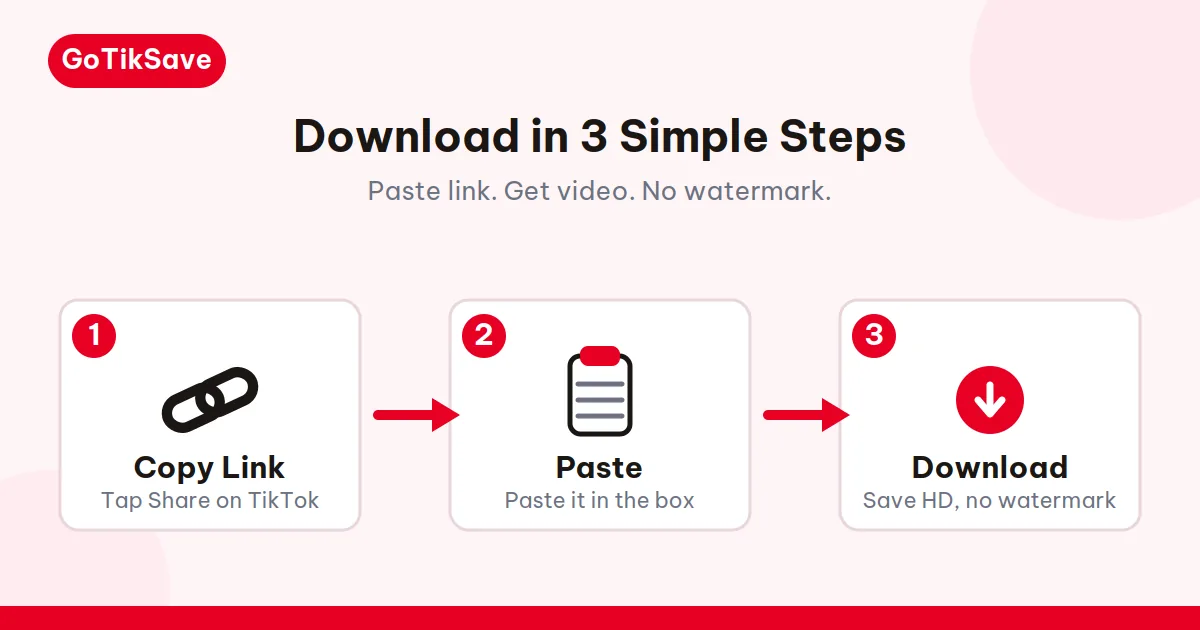
Paste link. Get video. No watermark.
Open TikTok or Douyin → Share → Copy Link.
Paste the link into the box and hit Download.
Save HD without watermark, SD, or MP3 audio only.
Found a TikTok you want to keep? Paste the link and download it without the watermark — MP4 in full source quality, or MP3 if you only want the sound. Usually takes seconds, costs nothing, needs no account. One limit: it has to be a public video. Private, deleted, or region-locked videos can't be fetched — by this tool or anyone else's.
How to download a TikTok video without watermark
- Copy the link. In TikTok, tap Share → Copy Link on the video you want. Same flow in the Douyin app.
- Paste it in the box above. Pick the TikTok or Douyin tab first — or skip it, the tool usually recognizes the platform from the link alone.
- Hit Download. Choose "Download MP4 (No Watermark)" for the video, "Download MP3 Audio" for just the sound. The file lands on your device in seconds.
Which links work
TikTok and Douyin links come in more shapes than you'd expect:
| Link format | Example |
|---|---|
| Full TikTok URL | tiktok.com/@creator/video/7345… |
| Short share link | vt.tiktok.com/AbC12De/ |
| Older short link | vm.tiktok.com/AbC12De/ |
| Full Douyin URL | douyin.com/video/7345… |
| Short Douyin link | v.douyin.com/AbC12De/ |
| Douyin share text | A block of Chinese text with the link buried inside — paste all of it |
That Douyin share text looks like gibberish — the link is hiding inside it. Short links are just redirects and get followed automatically.
One more link habit worth building: the username in a desktop URL is cosmetic. If a creator renames their handle, an old link with the old @name still works, because TikTok resolves the numeric video ID and ignores the handle. So don't "fix" a saved link by editing the username — you'll only break it. The ID is the address; everything else is decoration.
Where your file ends up
iPhone: this is the one that trips everyone up. A normal tap opens the video in a player instead of downloading it — that's Safari, not us. Long-press the download button and choose "Download Linked File". The file goes to Files → Downloads; open it, tap Share → Save Video to move it into Photos. Step-by-step: download TikTok videos on iPhone.
Android: tap the button like normal. Chrome drops the MP4 in Downloads and it appears in your gallery on its own.
PC / Mac: your browser's download folder. Rename it now — tiktok.mp4 means nothing in a month.
When it won't work
Three things no downloader fixes: private or deleted video, region lock, or audio stripped over a copyright claim. If the video plays fine in the app, retry once — servers hiccup. Two identical failures means it's the video, not the tool.
Why GoTikSave
Douyin actually works here. Most TikTok downloaders don't handle Douyin at all. This one has a dedicated Douyin tab — it works from outside China too, all you need is the share link.
You get the real file. Not a screen recording, not a re-compressed copy — the actual video file from TikTok's servers, minus the watermark. And no fake upscaling: a 720p upload downloads as 720p, because that's what exists.
No app, no account, no nonsense. It's a web page. Open it, paste, download, close it.
Your links stay yours. Everything streams straight from TikTok's servers to your device. No download history, no link logging, nothing stored on our servers, period.
Formats
| Format | What you get |
|---|---|
| MP4 | The video in full source quality, no watermark |
| MP3 | Just the audio track, when the video has one |
Other GoTikSave tools
- Douyin video downloader: Douyin videos without watermark, even from outside China.
- TikTok MP3 downloader: pull the audio out of any public TikTok video.
- TikTok slideshow downloader: save every photo from a carousel, plus the audio.
- TikTok story downloader: grab stories before the 24-hour clock runs out.
- Download TikTok videos on iPhone: the iOS-specific flow — Safari, Files, Photos.
- Why TikTok videos have watermark: why the logo bounces around and what the clean file actually is.
Guides & Troubleshooting
Hit something weird? The edge cases live here:
- How to download TikTok videos without watermark
- How to download Douyin videos outside China
- Why your Douyin link won't open outside China
- TikTok video download failed: how to fix it
- How to save TikTok videos to your camera roll
- Is it legal to download TikTok videos?
- How to copy a TikTok video link
- How to download TikTok MP3 audio
- TikTok slideshow not downloading: fix it here
- Download Douyin videos without watermark
- Why you can't download private TikTok videos
- Douyin vs TikTok: what's the difference
Paste link. Get video. No watermark.
Frequently asked questions
Which TikTok link formats does the downloader accept?
All of them — full URLs, short links, both Douyin formats. Short links resolve themselves; if Douyin gives you a text block instead of a link, paste the whole thing.
Why did my video download in 720p instead of 1080p?
Because that's the best version TikTok has for it. Older uploads and videos shot on cheap phones top out at 720p or lower. We fetch the highest available and never upscale — the file matches the original.
The tool says it can't fetch my link. What's usually wrong?
In order: the video is private or deleted, it's region-locked, or the link got copied halfway. Check it still plays in the app and retry once. Two identical failures means the video itself is the problem, not a glitch.
Do I need the TikTok app installed to use this?
Only once — to copy the link. After that it's all in your browser. No app, no account, no install.
Can I download videos back-to-back, or is there a cooldown?
As many as you like. Hammer it dozens of times a minute and you'll hit a brief rate-limit pause — abuse protection, not a paywall. Wait a few seconds and carry on.
Does it work in my country?
If TikTok or Douyin runs there, yes. The tool is just a website with no regional blocks of its own. Douyin links work from outside China — you only need the share link, not access to Douyin itself.